Abobi Press Kit
Everything you need to write about Abobi: facts, ready-to-use descriptions, screenshots and the app icon. Use anything on this page freely in coverage of the app.
Fact sheet
| App | Abobi — audiobook maker for Mac |
| Developer | Workaday Tools, an independent one-person studio in Szczecin, Poland |
| Release | Available on the Mac App Store |
| Platform | macOS 14 Sonoma or later, Mac with Apple silicon (M1 or newer) |
| Price | Free to try: every feature, audiobooks up to 90 minutes. Full Version: US$9.99, one-time purchase. 7-Day Pass: US$1.99, does not renew. No subscription, no account. |
| Languages | Interface in 13 languages; App Store page in 17 localizations |
| Input | MP3, M4A, M4B, AAC, FLAC, WAV, AIFF, CAF and the sound from MP4, MOV and M4V videos |
| Output | One M4B audiobook with chapters, cover art and metadata (AAC or lossless ALAC) |
| Privacy | Audio never leaves the Mac, chapter finding included. No analytics, no tracking. |
| Website | workadaytools.com/abobi |
| Press contact | support@workadaytools.com |
Descriptions
One sentence
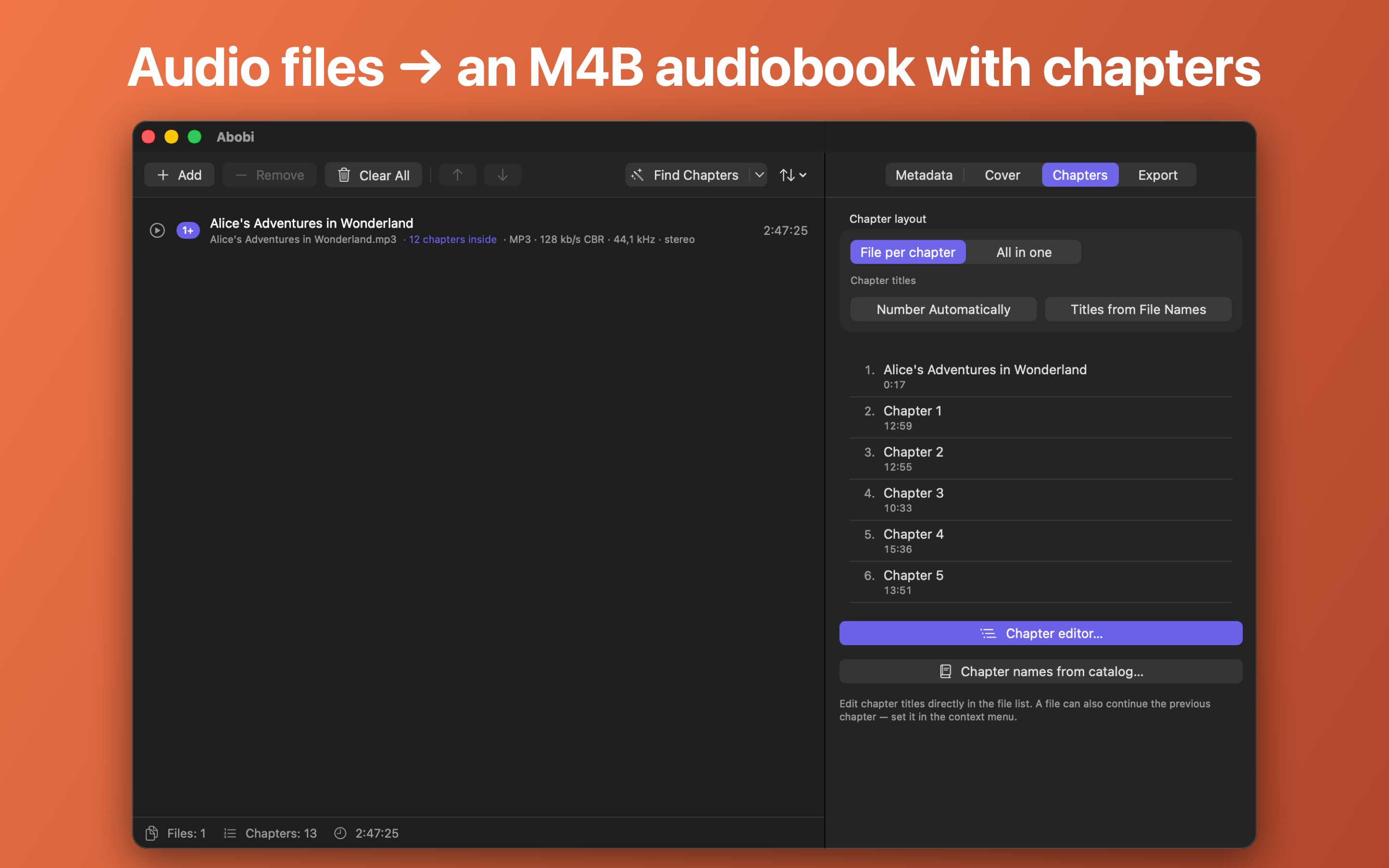
Abobi is a Mac app that turns a folder of MP3s — or one long recording — into a single M4B audiobook with chapters, cover art and metadata, suggesting the chapters for you.
Short (about 50 words)
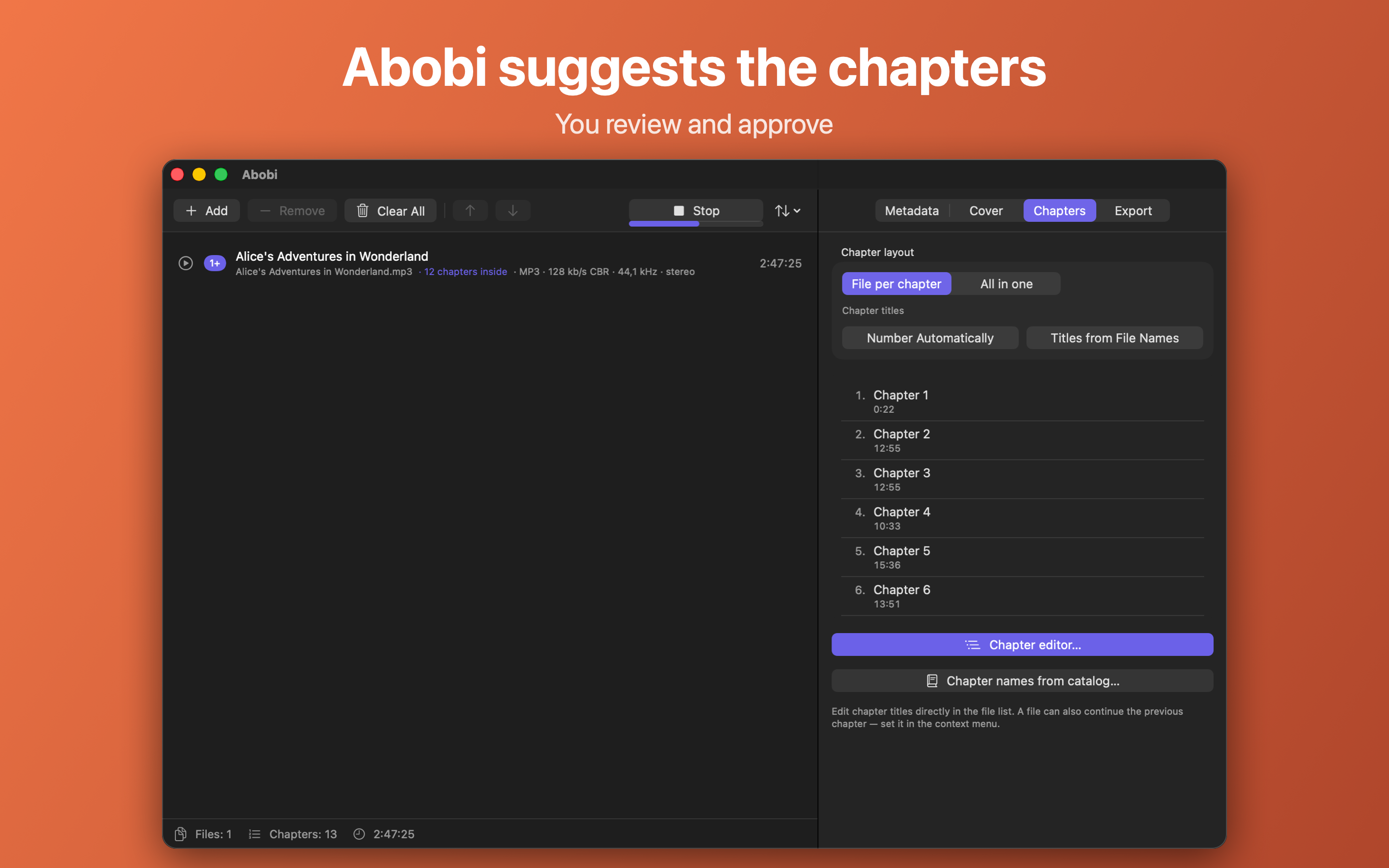
Abobi turns your own audio files into one proper audiobook for Apple Books. Drop in a folder of MP3s or one long recording, and Abobi suggests where each chapter begins, marks the ones worth a second look, and finds the cover and book details. Review, adjust, export. Free to try, no subscription.
Long
Many people have audiobooks as plain audio files: public-domain recordings from LibriVox, rips of their own CDs, their own recordings or DRM-free purchases. Played as a folder of MP3s, such a book is a flat list with no chapters, and setting chapters by hand takes hours.
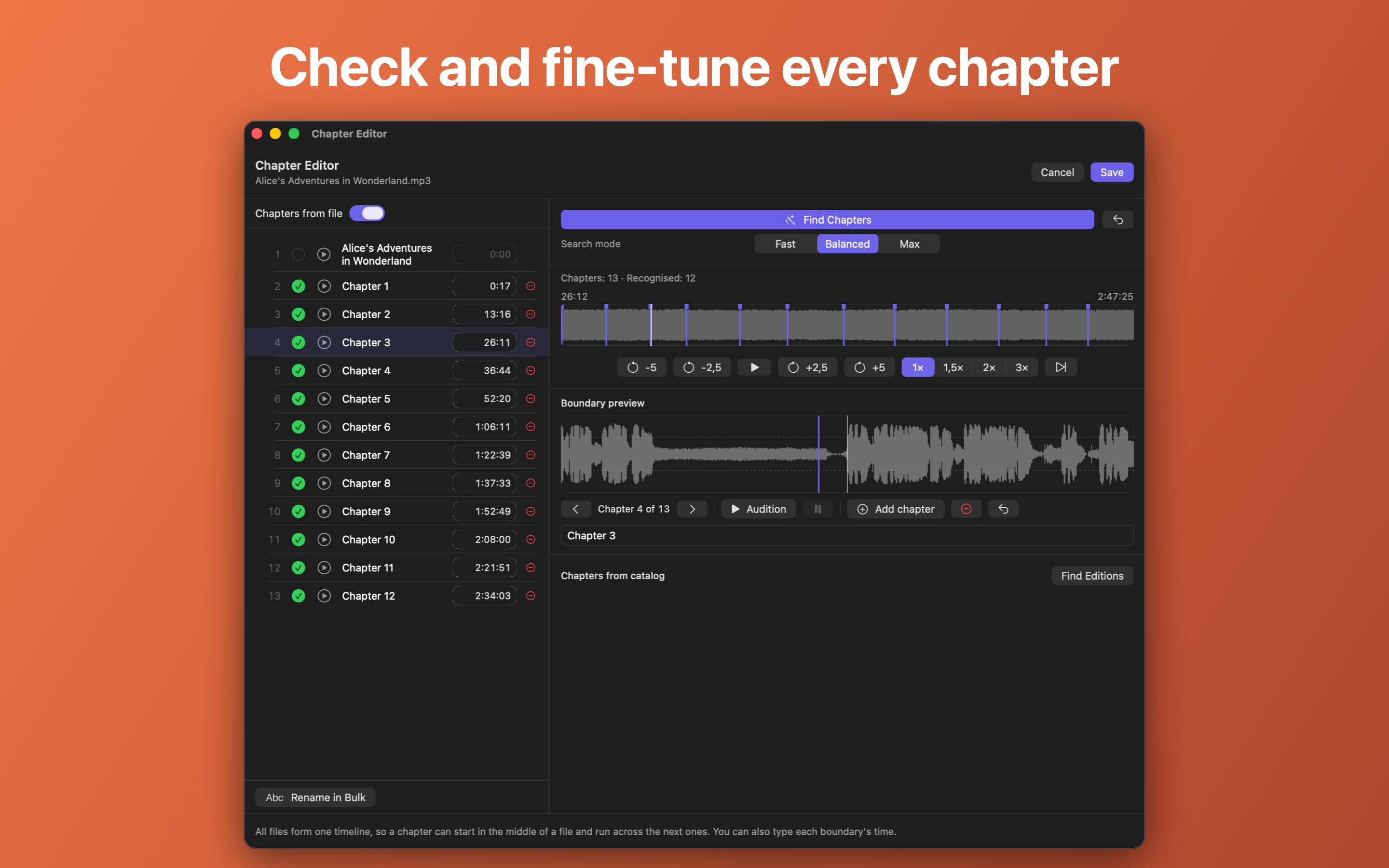
Abobi makes that a few minutes. Its Find Chapters feature proposes the chapter layout — even for one long recording with no chapter information at all — and marks every chapter as confirmed, not confirmed or worth a look. When the narrator announces chapter numbers, a question mark shows where one seems to be missing. In the chapter editor you can listen around any boundary, drag markers, add, remove and rename chapters, and undo every change.
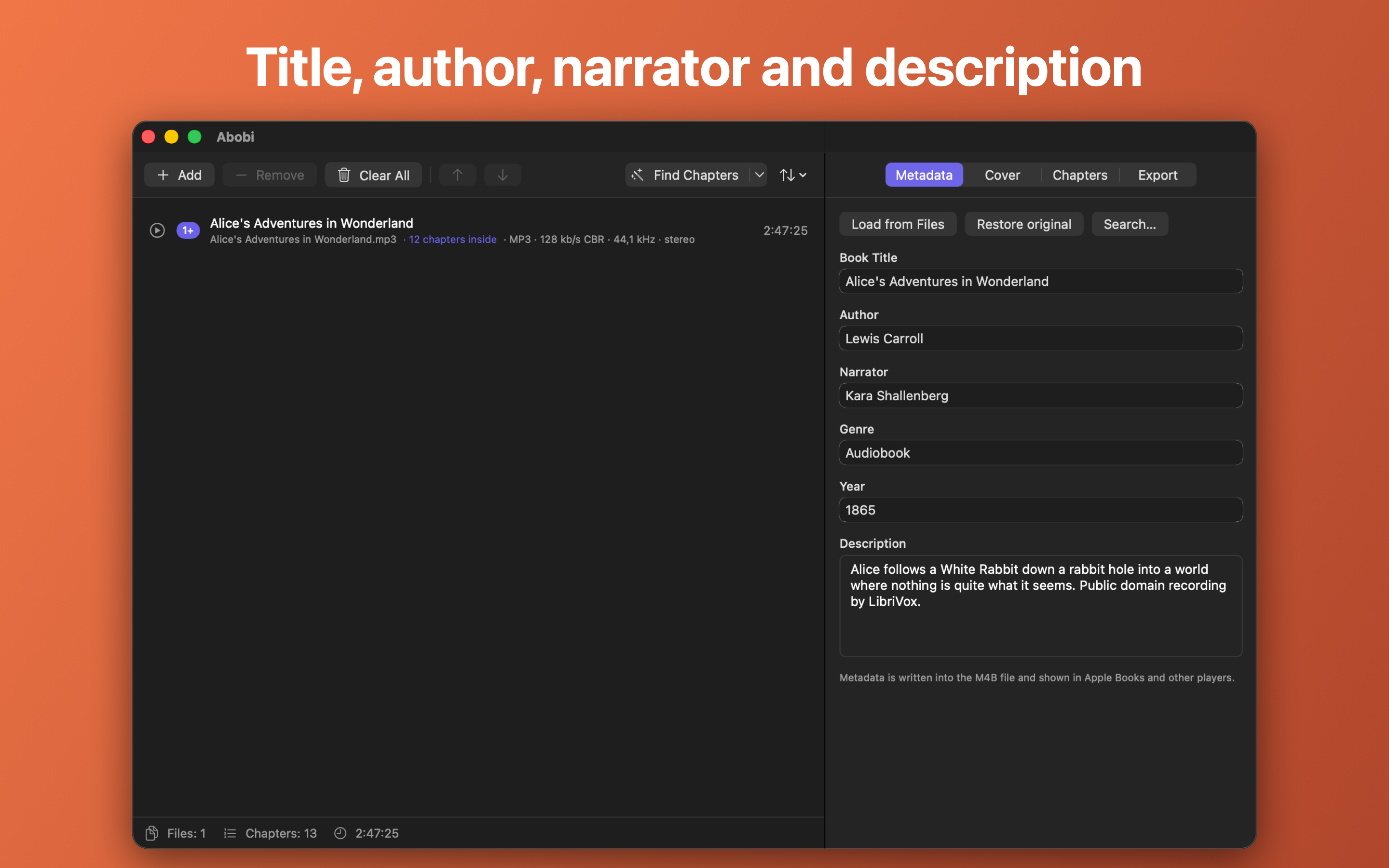
Abobi also looks up the title, author, narrator, description and cover online, and exports one M4B file with presets from a small voice file to lossless ALAC. Everything, including finding chapters, happens on the Mac; recordings never leave the computer.
Abobi is free to try with every feature for audiobooks up to 90 minutes. A one-time purchase removes the limit, and a 7-day pass covers a few books without a subscription.
What makes it different
- Suggests chapters inside one long recording, not only one chapter per file.
- Shows how certain each chapter is, so you know exactly what to check.
- Applies chapter names from the catalog only when your recording matches the published edition.
- Private by design: all processing on the Mac, no account.
- No subscription: buy once, or get a pass for a week.
Screenshots
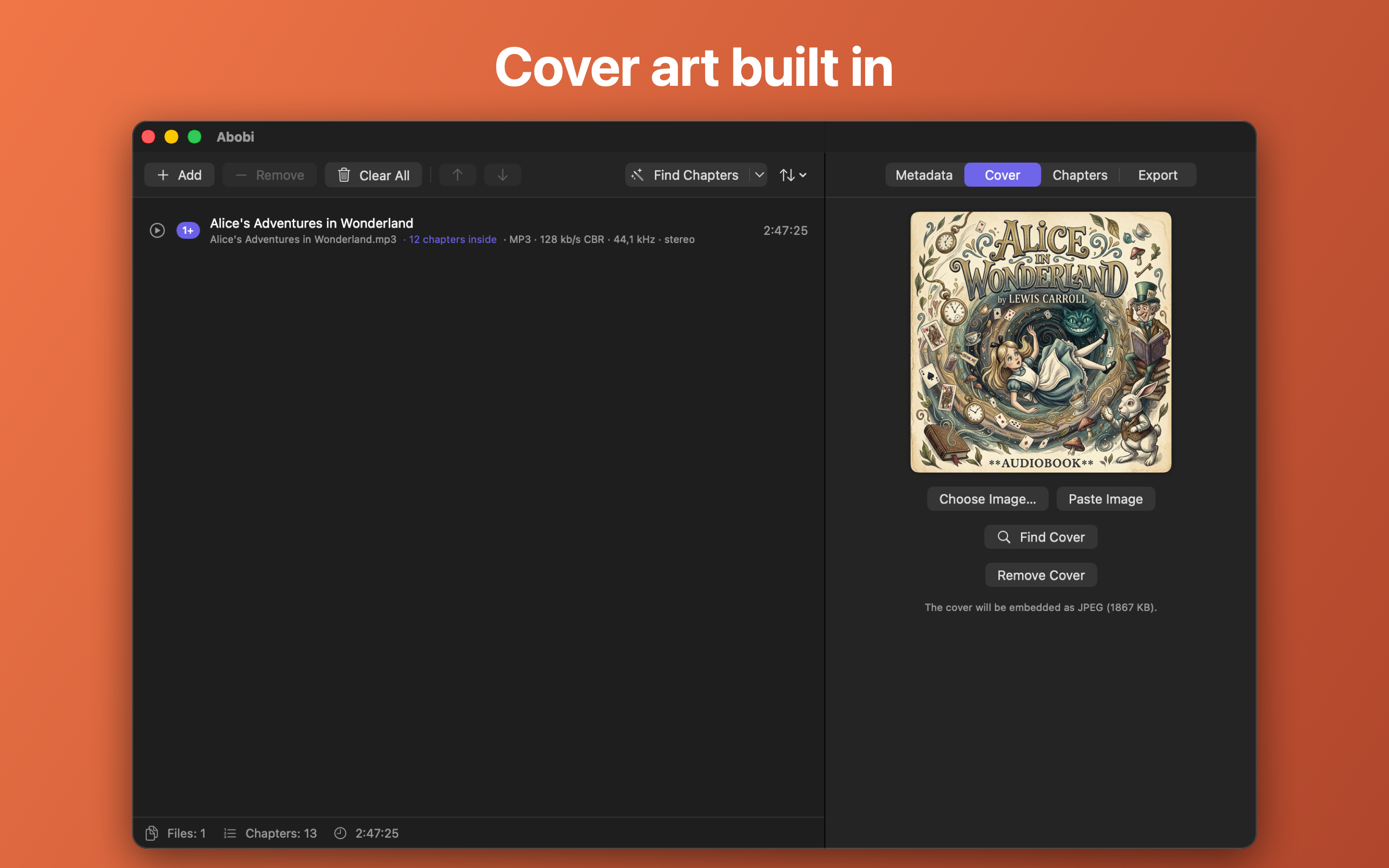
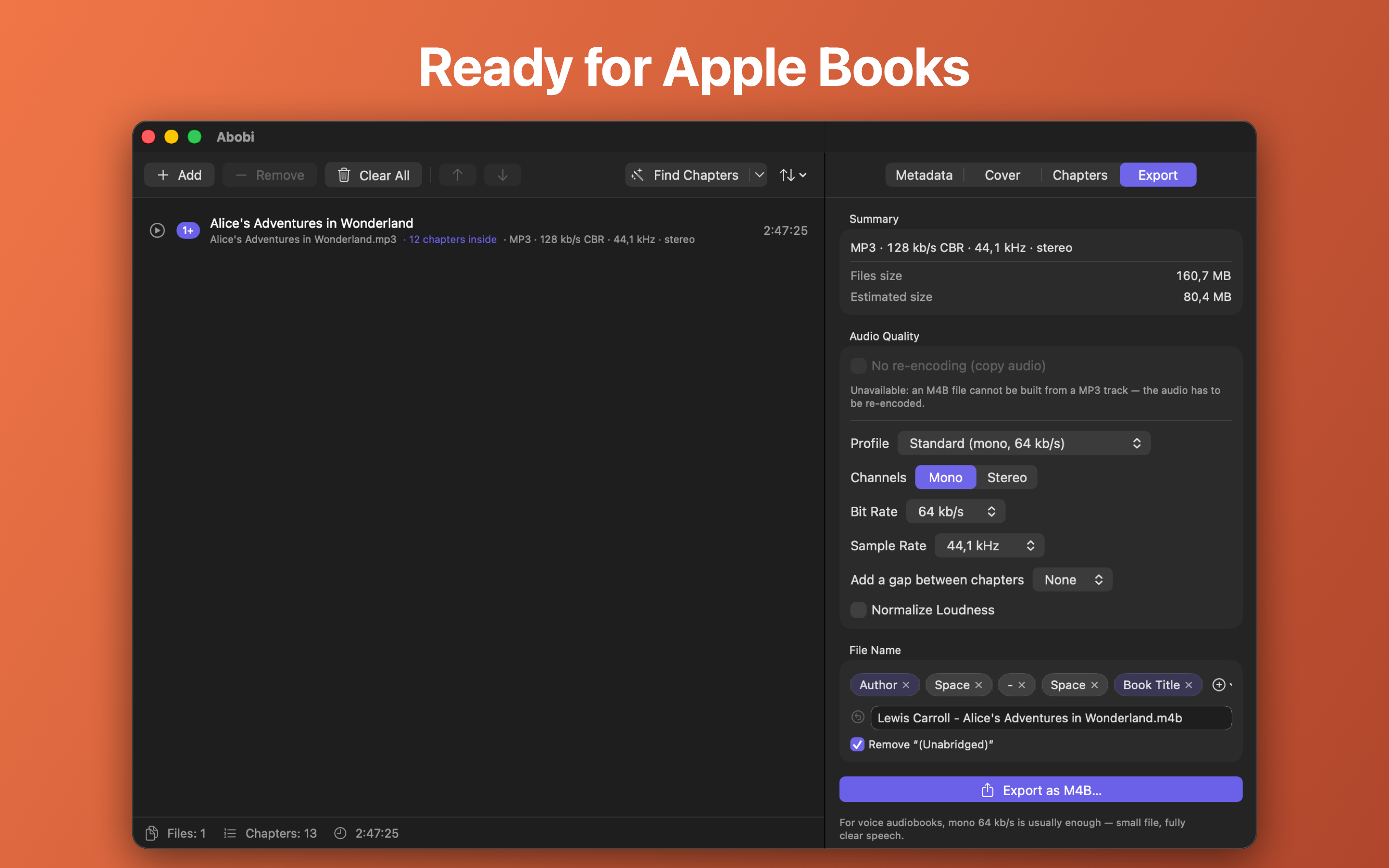
Click a screenshot for the full-size image (2880 × 1800 PNG). The book shown is a public-domain LibriVox recording.
App icon
Download the icon (1024 × 1024 PNG)
Please don't alter the icon or change its colors.
Reviewing Abobi?
Write to support@workadaytools.com — we'll arrange full access for your review and answer any questions about the app.